Evolution of Real-time Capabilities in Web Frameworks
The web began as a platform for serving static documents, evolving to support dynamic content, and now increasingly demands real-time, interactive experiences. While frameworks like Django revolutionized database-backed web development, newer platforms like Phoenix, FastAPI, and dedicated WebSocket frameworks have pushed the boundaries of what's possible with real-time communication. This article explores the evolution of real-time capabilities in web frameworks, examining the strengths and limitations of different approaches and the integration challenges that remain.
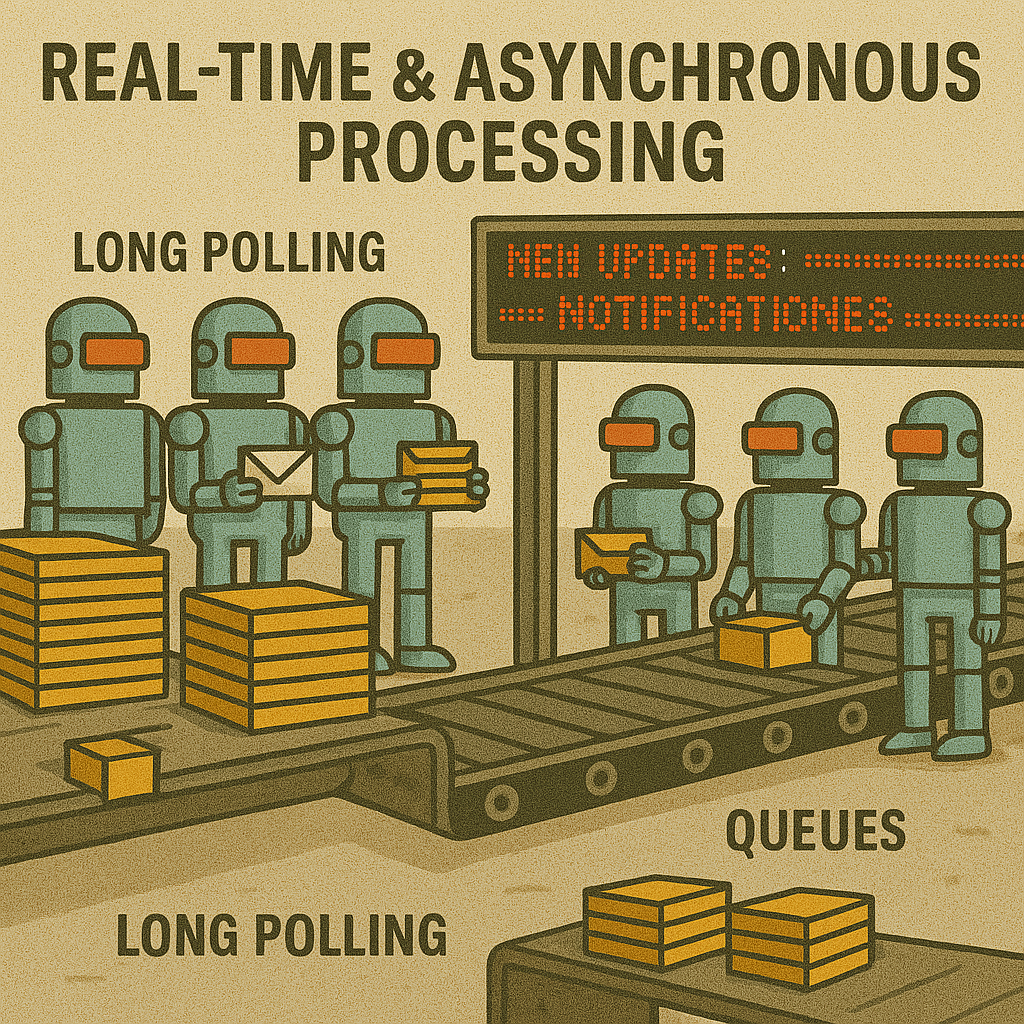
Evolution from request-response to full real-time architectures in web frameworks
The HTTP Request-Response Paradigm: Where It All Started
Traditional web frameworks were built around the HTTP request-response model:
How It Works
- Client initiates a request
- Server processes the request
- Server sends a single response
- Connection is closed
- Client must initiate a new request for new data
Limitations for Real-time
- No server-initiated communication
- Connection overhead for frequent updates
- Latency inherent in new connection setup
- Resource-intensive for high-frequency data
- Stateless model conflicts with ongoing connections
# views.py in a traditional Django application from django.http import JsonResponse from django.views.decorators.http import require_http_methods from .models import ChatMessage@require_http_methods(["GET"]) def get_messages(request, chat_id): """Retrieve chat messages for a specific chat.""" # Client must poll this endpoint to get new messages messages = ChatMessage.objects.filter( chat_id=chat_id ).order_by('timestamp')[:50]
return JsonResponse({ 'messages': [ { 'id': msg.id, 'sender': msg.sender.username, 'content': msg.content, 'timestamp': msg.timestamp.isoformat() } for msg in messages ] })
@require_http_methods(["POST"]) def send_message(request, chat_id): """Send a new message to a chat.""" content = request.POST.get('content') if not content: return JsonResponse({'error': 'Message content is required'}, status=400)
# Create a new message message = ChatMessage.objects.create( chat_id=chat_id, sender=request.user, content=content )
# Client has no way to know when others send messages # until they poll the get_messages endpoint again return JsonResponse({ 'message': { 'id': message.id, 'sender': message.sender.username, 'content': message.content, 'timestamp': message.timestamp.isoformat() } }, status=201)
This pattern forces clients to use "polling" strategies to simulate real-time updates:
// Client-side polling approach function pollForMessages() { fetch(/api/chats/${chatId}/messages) .then(response => response.json()) .then(data => { updateChatInterface(data.messages);// Poll again after a delay setTimeout(pollForMessages, 3000); }) .catch(error => { console.error('Error polling messages:', error); // Try again after error, with backoff setTimeout(pollForMessages, 5000); }); }
// Start polling when page loads document.addEventListener('DOMContentLoaded', () => { pollForMessages(); });
While functional, polling is inefficient and introduces latency. Early frameworks offered few alternatives to this approach, leading developers to seek better solutions.
Early Real-time Approaches: Clever Workarounds
Before WebSockets became widely available, developers created several workarounds to achieve pseudo-real-time communication:
Long Polling
An evolution of regular polling where the server intentionally holds the connection open until new data is available:
// Server-side long polling implementation const express = require('express'); const app = express();// Store active connections and pending messages const connections = {}; const messageQueue = {};
app.get('/api/chats/:chatId/messages/poll', (req, res) => { const chatId = req.params.chatId;
// Check if there are pending messages if (messageQueue[chatId] && messageQueue[chatId].length > 0) { // Send pending messages immediately res.json({ messages: messageQueue[chatId] }); messageQueue[chatId] = []; } else { // No messages yet, hold the connection const timeout = setTimeout(() => { // If no messages arrive within 30 seconds, send empty response res.json({ messages: [] });
// Remove this connection from the active list if (connections[chatId]) { connections[chatId] = connections[chatId].filter(conn => conn.id !== res.id); } }, 30000);
// Store the connection for later use res.id = Date.now(); // unique ID for this connection if (!connections[chatId]) { connections[chatId] = []; }
connections[chatId].push({ id: res.id, resolve: () => { clearTimeout(timeout); if (messageQueue[chatId] && messageQueue[chatId].length > 0) { res.json({ messages: messageQueue[chatId] }); messageQueue[chatId] = []; } } }); } });
app.post('/api/chats/:chatId/messages', (req, res) => { const chatId = req.params.chatId; const message = { id: Date.now(), sender: req.body.sender, content: req.body.content, timestamp: new Date().toISOString() };
// Store the message for any polling connections if (!messageQueue[chatId]) { messageQueue[chatId] = []; } messageQueue[chatId].push(message);
// Notify any waiting connections if (connections[chatId] && connections[chatId].length > 0) { connections[chatId].forEach(connection => { connection.resolve(); }); connections[chatId] = []; }
res.status(201).json({ message }); });
Server-Sent Events (SSE)
A standardized approach for one-way server-to-client real-time communication:
# Django view for Server-Sent Events import json import time from django.http import StreamingHttpResponse from .models import ChatMessagedef message_stream(request, chat_id): """Stream new messages as Server-Sent Events.""" def event_stream(): # Keep track of last message seen last_id = request.GET.get('last_id', 0)
while True: # Check for new messages messages = ChatMessage.objects.filter( chat_id=chat_id, id__gt=last_id ).order_by('id')
if messages: # Update last_id for next iteration last_id = messages.last().id
# Format and yield each message as an SSE for message in messages: data = json.dumps({ 'id': message.id, 'sender': message.sender.username, 'content': message.content, 'timestamp': message.timestamp.isoformat() }) yield f"data: {data}\n\n"
# Sleep to prevent CPU overuse time.sleep(1)
# Set up SSE response response = StreamingHttpResponse( event_stream(), content_type='text/event-stream' ) response['Cache-Control'] = 'no-cache' response['X-Accel-Buffering'] = 'no' # For Nginx return response
// Connect to SSE endpoint const eventSource = new EventSource(/api/chats/${chatId}/stream?last_id=${lastMessageId});// Handle incoming messages eventSource.onmessage = (event) => { const message = JSON.parse(event.data); appendMessageToChat(message); lastMessageId = message.id; };
// Handle errors eventSource.onerror = (error) => { console.error('EventSource error:', error); eventSource.close();
// Attempt to reconnect after delay setTimeout(() => { connectToEventSource(); }, 5000); };
These approaches improved on basic polling but still had significant limitations:
- Most frameworks required custom implementations rather than built-in support
- Request timeouts could interrupt long-lived connections
- Connection limits per domain in browsers created scaling issues
- Long-held connections consumed server resources
- Limited bidirectional communication (particularly with SSE)
- Proxy and firewall interference
The WebSocket Revolution
WebSockets represented a paradigm shift by providing a true bidirectional communication channel:
WebSocket Advantages
- Full-duplex communication channel
- Low latency (minimal protocol overhead)
- Server can push data at any time
- Single persistent connection
- Binary data support
- Cross-domain communication
WebSocket Challenges
- Protocol different from HTTP
- Connection state management
- Reconnection handling
- Load balancing complexity
- Application architecture changes
- Proxy/firewall compatibility
Most traditional frameworks initially had limited WebSocket support, leading to dedicated WebSocket servers or middleware:
# Django Channels consumer for WebSocket chat from channels.generic.websocket import AsyncWebsocketConsumer import jsonclass ChatConsumer(AsyncWebsocketConsumer): async def connect(self): self.chat_id = self.scope['url_route']['kwargs']['chat_id'] self.room_group_name = f'chat_{self.chat_id}'
# Join room group await self.channel_layer.group_add( self.room_group_name, self.channel_name )
await self.accept()
async def disconnect(self, close_code): # Leave room group await self.channel_layer.group_discard( self.room_group_name, self.channel_name )
# Receive message from WebSocket async def receive(self, text_data): data = json.loads(text_data) message = data['message'] sender = data['sender']
# Save to database # In a real app, this would use an async DB adapter or a separate worker # await database_sync_to_async(self.save_message)(message, sender)
# Send message to room group await self.channel_layer.group_send( self.room_group_name, { 'type': 'chat_message', 'message': message, 'sender': sender } )
# Receive message from room group async def chat_message(self, event): message = event['message'] sender = event['sender']
# Send message to WebSocket await self.send(text_data=json.dumps({ 'message': message, 'sender': sender }))
The move to WebSockets required significant architectural changes for traditional frameworks:
- New server components (like ASGI for Django)
- Different deployment strategies
- Async programming models
- Rethinking of view patterns and middleware
- Connection state management
- Authentication and authorization changes
// Connect to WebSocket const socket = new WebSocket(ws://example.com/ws/chat/${chatId}/);// Handle connection open socket.addEventListener('open', (event) => { console.log('Connected to chat websocket');
// Enable message input now that we're connected document.getElementById('messageInput').disabled = false; });
// Handle incoming messages socket.addEventListener('message', (event) => { const data = JSON.parse(event.data); appendMessageToChat(data.sender, data.message); });
// Handle errors and disconnections socket.addEventListener('close', (event) => { console.log('Chat connection closed:', event.reason);
// Disable input until reconnected document.getElementById('messageInput').disabled = true;
// Attempt to reconnect after a delay setTimeout(connectWebSocket, 3000); });
// Send messages function sendMessage() { const messageInput = document.getElementById('messageInput'); const message = messageInput.value.trim();
if (message && socket.readyState === WebSocket.OPEN) { socket.send(JSON.stringify({ 'message': message, 'sender': currentUsername })); messageInput.value = ''; } }
Framework Approaches to Real-time: A Comparison
Different frameworks have taken varying approaches to incorporating real-time capabilities:
| Framework | Real-time Approach | Implementation | Strengths | Limitations |
|---|---|---|---|---|
| Django | Add-on (Channels) | ASGI + Channel layers | Mature ORM integration, security model | Add-on nature, deployment complexity |
| Rails | Action Cable | WebSocket + Redis | Integrated with framework, familiar patterns | Scaling challenges, resource intensive |
| Phoenix | Built-in (Channels) | WebSockets + PubSub | Native real-time, millions of connections, minimal resources | Elixir learning curve, smaller ecosystem |
| FastAPI | WebSockets API | Asyncio + Starlette | Native async, high performance, type safety | Limited ORM integration, newer ecosystem |
| Express | Socket.IO | WebSockets + fallbacks | Cross-browser compatibility, reconnection logic | Add-on nature, JavaScript-only, resource usage |
| Laravel | Laravel Echo + Pusher | External service + client library | Easy to implement, minimal server overhead | External service dependency, cost for scale |
Phoenix: Real-time First Architecture
Phoenix stands out for its ground-up design around real-time capabilities:
# Phoenix Channel (server side) defmodule MyAppWeb.ChatChannel do use MyAppWeb, :channel alias MyApp.Chatsdef join("chat:" <> chat_id, _params, socket) do # Check if user is authorized to join this chat if authorized?(socket, chat_id) do messages = Chats.list_recent_messages(chat_id) {:ok, %{messages: messages}, assign(socket, :chat_id, chat_id)} else {:error, %{reason: "unauthorized"}} end end
def handle_in("new_message", %{"content" => content}, socket) do chat_id = socket.assigns.chat_id user_id = socket.assigns.user_id
case Chats.create_message(chat_id, user_id, content) do {:ok, message} -> # Broadcast to all channel subscribers broadcast!(socket, "new_message", %{ id: message.id, content: message.content, user_id: message.user_id, inserted_at: message.inserted_at }) {:reply, :ok, socket}
{:error, _changeset} -> {:reply, {:error, %{reason: "failed to create message"}}, socket} end end
defp authorized?(socket, chat_id) do user_id = socket.assigns.user_id Chats.user_in_chat?(user_id, chat_id) end end
// Phoenix Channel client import { Socket } from "phoenix"const socket = new Socket("/socket", { params: {token: window.userToken} }) socket.connect()
// Join the chat channel const chatId = "123" const channel = socket.channel(chat:${chatId}, {})
channel.join() .receive("ok", resp => { console.log("Joined chat successfully", resp) // Display existing messages resp.messages.forEach(addMessageToUI) }) .receive("error", resp => { console.log("Unable to join chat", resp) })
// Listen for new messages channel.on("new_message", payload => { addMessageToUI(payload) })
// Send a new message document.getElementById("chatForm").addEventListener("submit", e => { e.preventDefault() const input = document.getElementById("messageInput") const content = input.value.trim()
if (content) { channel.push("new_message", {content: content}) .receive("ok", () => { input.value = "" }) .receive("error", resp => { console.log("Failed to send message", resp) }) } })
The performance difference between frameworks designed for real-time from the ground up versus those where it was added later can be substantial:
- Can handle 2+ million WebSocket connections on modest hardware
- Built-in PubSub with distributed support
- Soft real-time guarantees
- Minimal memory per connection (as low as 2kb)
- Fault tolerance with supervision trees
- Built-in presence tracking
- Typically thousands of connections per server
- Requires external channel layer (Redis/RabbitMQ)
- No real-time guarantees
- Higher memory per connection
- Manual connection error handling
- Custom presence implementation required
Beyond WebSockets: Advanced Real-time Patterns
Modern real-time applications often require more sophisticated patterns beyond basic WebSocket connections:
Message Brokers and Event Streaming
Integrating frameworks with systems like Kafka, RabbitMQ, or NATS enables more robust event distribution:
# FastAPI with Kafka integration from fastapi import FastAPI, WebSocket, Depends, HTTPException from fastapi.security import OAuth2PasswordBearer from aiokafka import AIOKafkaProducer, AIOKafkaConsumer import json import asyncioapp = FastAPI() oauth2_scheme = OAuth2PasswordBearer(tokenUrl="token")
# Kafka configuration KAFKA_BOOTSTRAP_SERVERS = "kafka:9092" CHAT_TOPIC_TEMPLATE = "chat-messages-{}"
# WebSocket connections by chat ID active_connections = {}
# Utility to get user from token async def get_current_user(token: str = Depends(oauth2_scheme)): # In a real app, validate JWT token and extract user info # This is a simplified example return {"id": "user123", "username": "example_user"}
# Kafka producer initialization @app.on_event("startup") async def startup_event(): app.kafka_producer = AIOKafkaProducer( bootstrap_servers=KAFKA_BOOTSTRAP_SERVERS ) await app.kafka_producer.start()
@app.on_event("shutdown") async def shutdown_event(): await app.kafka_producer.stop() # Close any active consumer tasks for chat_id in active_connections: for connection in active_connections[chat_id]: if hasattr(connection, 'consumer_task'): connection.consumer_task.cancel()
# WebSocket endpoint for chat @app.websocket("/ws/chat/{chat_id}") async def websocket_endpoint(websocket: WebSocket, chat_id: str): await websocket.accept()
# Set up this chat room's connections if it doesn't exist if chat_id not in active_connections: active_connections[chat_id] = []
# Add this connection active_connections[chat_id].append(websocket)
# Start Kafka consumer for this chat kafka_topic = CHAT_TOPIC_TEMPLATE.format(chat_id) consumer = AIOKafkaConsumer( kafka_topic, bootstrap_servers=KAFKA_BOOTSTRAP_SERVERS, group_id=f"chat-group-{chat_id}", auto_offset_reset="latest" ) await consumer.start()
try: # Start background task to listen for Kafka messages consumer_task = asyncio.create_task( kafka_message_listener(consumer, websocket) ) websocket.consumer_task = consumer_task
# Process messages from the WebSocket while True: data = await websocket.receive_text() message_data = json.loads(data)
# Publish to Kafka await app.kafka_producer.send_and_wait( kafka_topic, json.dumps(message_data).encode('utf-8') )
except Exception as e: print(f"WebSocket error: {e}") finally: # Clean up when connection closes if chat_id in active_connections: active_connections[chat_id].remove(websocket) await consumer.stop() if hasattr(websocket, 'consumer_task'): websocket.consumer_task.cancel()
async def kafka_message_listener(consumer, websocket): try: async for msg in consumer: # Forward Kafka messages to the WebSocket message_data = json.loads(msg.value.decode('utf-8')) await websocket.send_text(json.dumps(message_data)) except asyncio.CancelledError: # Task was cancelled, clean up pass except Exception as e: print(f"Kafka consumer error: {e}") # Try to notify the client try: await websocket.send_text(json.dumps({ "error": "Message stream error, please reconnect" })) except: pass
Background Processing Integration
Many frameworks now combine real-time communication with asynchronous task processing:
# tasks.py - Celery task that publishes results to a WebSocket from celery import shared_task from channels.layers import get_channel_layer from asgiref.sync import async_to_sync import time@shared_task def process_large_dataset(user_id, dataset_id): """Process a large dataset and send progress updates via WebSocket.""" channel_layer = get_channel_layer()
# Send initial status async_to_sync(channel_layer.group_send)( f"user_{user_id}", { "type": "task_status", "dataset_id": dataset_id, "status": "started", "progress": 0 } )
# Simulate processing with progress updates total_steps = 10 for step in range(1, total_steps + 1): # Do actual processing work here time.sleep(1) # Simulate work
# Send progress update progress = int(step / total_steps * 100) async_to_sync(channel_layer.group_send)( f"user_{user_id}", { "type": "task_status", "dataset_id": dataset_id, "status": "processing", "progress": progress } )
# Simulate generating a result result = {"summary": "Dataset processed successfully", "count": 1250}
# Send completion notification async_to_sync(channel_layer.group_send)( f"user_{user_id}", { "type": "task_status", "dataset_id": dataset_id, "status": "completed", "progress": 100, "result": result } )
return result
# consumers.py - WebSocket consumer that receives task updates from channels.generic.websocket import JsonWebsocketConsumer from asgiref.sync import async_to_sync
class TaskStatusConsumer(JsonWebsocketConsumer): def connect(self): self.user_id = self.scope["user"].id self.group_name = f"user_{self.user_id}"
# Join user-specific group async_to_sync(self.channel_layer.group_add)( self.group_name, self.channel_name )
self.accept()
def disconnect(self, close_code): # Leave group async_to_sync(self.channel_layer.group_discard)( self.group_name, self.channel_name )
# Handle messages from the channel layer def task_status(self, event): # Forward the task status to the WebSocket self.send_json(event)
Service Integration Through Event Buses
Modern architectures often use event buses to connect disparate services:
// Java Spring Boot with WebSocket and Event Bus import org.springframework.messaging.simp.SimpMessagingTemplate; import org.springframework.stereotype.Service; import org.springframework.context.event.EventListener; import org.springframework.web.socket.messaging.SessionConnectedEvent; import org.springframework.integration.channel.PublishSubscribeChannel;@Service public class NotificationService { private final SimpMessagingTemplate messagingTemplate; private final PublishSubscribeChannel eventBus;
public NotificationService(SimpMessagingTemplate messagingTemplate, PublishSubscribeChannel eventBus) { this.messagingTemplate = messagingTemplate; this.eventBus = eventBus;
// Subscribe to relevant events eventBus.subscribe(message -> { if (message.getPayload() instanceof OrderEvent) { handleOrderEvent((OrderEvent) message.getPayload()); } else if (message.getPayload() instanceof InventoryEvent) { handleInventoryEvent((InventoryEvent) message.getPayload()); } }); }
private void handleOrderEvent(OrderEvent event) { // Process order event and notify relevant users String userId = event.getUserId(); OrderStatus status = event.getStatus();
// Send WebSocket notification to specific user messagingTemplate.convertAndSendToUser( userId, "/queue/notifications", new Notification("order_update", "Your order status is now: " + status, event.getOrderId()) ); }
private void handleInventoryEvent(InventoryEvent event) { // If inventory drops below threshold, notify admin users if (event.getQuantity() < event.getThreshold()) { // Broadcast to all admin users messagingTemplate.convertAndSend( "/topic/admin/inventory-alerts", new Notification("inventory_alert", "Low inventory for product: " + event.getProductId(), event.getProductId()) ); } }
// Publish an event to the bus (can be called from any service) public void publishEvent(Object event) { eventBus.send(MessageBuilder.withPayload(event).build()); }
// WebSocket session event handling @EventListener public void handleWebSocketConnectListener(SessionConnectedEvent event) { String username = event.getUser().getName(); System.out.println("New WebSocket connection: " + username); // Additional connection setup logic } }
The Integration Challenge: Real-time in Existing Applications
Adding real-time capabilities to existing applications built on traditional frameworks presents several challenges:
Challenges:
- Translating session auth to WebSockets
- Token validation in persistent connections
- Per-message authorization
- Reconnection authentication
- Rate limiting for WebSockets
Solution approaches:
- Auth token in connection parameters
- Channel-specific authorization
- Integration with existing permission systems
Challenges:
- Maintaining consistency between HTTP and WebSocket data
- Transaction boundaries across protocols
- Race conditions between real-time and REST
- Caching strategies with live updates
Solution approaches:
- Event sourcing patterns
- Database triggers for notifications
- Read-after-write consistency guarantees
- Client-side data reconciliation
Challenges:
- Scaling WebSocket connections
- Load balancing persistent connections
- Monitoring real-time systems
- Connection debugging
- Managing disconnections and reconnections
Solution approaches:
- Sticky sessions or connection routing
- Distributed PubSub systems
- Connection health metrics
- Graceful degradation to polling
Hybrid Approaches
Many applications are adopting hybrid approaches rather than full rewrites:
# Docker Compose setup with Django + dedicated Node.js real-time service version: '3'services: django: build: ./django ports:
- "8000:8000"
volumes:
- ./django:/app
depends_on:
- postgres
- redis
environment:
- DATABASE_URL=postgres://postgres:postgres@postgres:5432/myapp
- REDIS_URL=redis://redis:6379/0
- REALTIME_SERVICE_URL=http://realtime:3000
realtime: build: ./realtime ports:
- "3000:3000"
volumes:
- ./realtime:/app
depends_on:
- redis
- postgres
environment:
- REDIS_URL=redis://redis:6379/0
- DATABASE_URL=postgres://postgres:postgres@postgres:5432/myapp
- JWT_SECRET=shared_secret_between_services
- CORS_ORIGIN=http://localhost:8000
postgres: image: postgres:13 ports:
- "5432:5432"
volumes:
- postgres_data:/var/lib/postgresql/data
environment:
- POSTGRES_PASSWORD=postgres
- POSTGRES_DB=myapp
redis: image: redis:6 ports:
- "6379:6379"
volumes:
- redis_data:/data
volumes: postgres_data: redis_data:
// app.js - Node.js service for real-time functionality const express = require('express'); const http = require('http'); const { Server } = require('socket.io'); const Redis = require('ioredis'); const jwt = require('jsonwebtoken'); const cors = require('cors'); const { Pool } = require('pg');// Initialize Express app const app = express(); const server = http.createServer(app);
// Configure CORS app.use(cors({ origin: process.env.CORS_ORIGIN, methods: ['GET', 'POST'], credentials: true }));
// Initialize Socket.IO const io = new Server(server, { cors: { origin: process.env.CORS_ORIGIN, methods: ['GET', 'POST'], credentials: true } });
// Set up Redis clients const redis = new Redis(process.env.REDIS_URL); const redisSub = new Redis(process.env.REDIS_URL);
// Set up PostgreSQL const pool = new Pool({ connectionString: process.env.DATABASE_URL });
// Subscribe to Redis channels redisSub.subscribe('database_changes', 'notifications'); redisSub.on('message', (channel, message) => { try { const data = JSON.parse(message);
// Forward to relevant Socket.IO rooms if (channel === 'database_changes') { if (data.table === 'posts') { io.to(post:${data.id}).emit('post_updated', data); } else if (data.table === 'comments') { io.to(post:${data.post_id}).emit('comment_added', data); } } else if (channel === 'notifications') { if (data.user_id) { io.to(user:${data.user_id}).emit('notification', data); }
if (data.broadcast) { io.emit('broadcast', data); } } } catch (err) { console.error('Error processing Redis message:', err); } });
// Authentication middleware for Socket.IO io.use((socket, next) => { const token = socket.handshake.auth.token; if (!token) { return next(new Error('Authentication error')); }
try { // Verify JWT from Django const payload = jwt.verify(token, process.env.JWT_SECRET); socket.user = payload; next(); } catch (err) { next(new Error('Authentication error')); } });
// Handle Socket.IO connections io.on('connection', (socket) => { console.log(User ${socket.user.id} connected);
// Join user's personal room socket.join(user:${socket.user.id});
// Handle subscription to posts socket.on('join_post', async (postId) => { try { // Check if user has permission to access this post const result = await pool.query( 'SELECT id FROM posts WHERE id = $1 AND (is_public = TRUE OR user_id = $2)', [postId, socket.user.id] );
if (result.rows.length > 0) { socket.join(post:${postId}); socket.emit('joined_post', { postId }); } else { socket.emit('error', { message: 'Not authorized to access this post' }); } } catch (err) { console.error('Database error:', err); socket.emit('error', { message: 'Server error' }); } });
// Handle disconnection socket.on('disconnect', () => { console.log(User ${socket.user.id} disconnected); }); });
// Health check endpoint app.get('/health', (req, res) => { res.json({ status: 'ok' }); });
// Start server const PORT = process.env.PORT || 3000; server.listen(PORT, () => { console.log(Real-time service running on port ${PORT}); });
# Django views that interact with real-time service import jwt import redis import json from datetime import datetime, timedelta from django.conf import settings from django.http import JsonResponse from django.views.decorators.http import require_POST from django.contrib.auth.decorators import login_required# Connect to Redis redis_client = redis.from_url(settings.REDIS_URL)
@login_required def get_realtime_token(request): """Generate JWT token for real-time service authentication.""" # Create a token valid for 24 hours payload = { 'id': request.user.id, 'username': request.user.username, 'exp': datetime.utcnow() + timedelta(days=1) }
token = jwt.encode(payload, settings.JWT_SECRET, algorithm='HS256')
return JsonResponse({ 'token': token, 'service_url': settings.REALTIME_SERVICE_URL })
@require_POST @login_required def send_notification(request, user_id): """Send a notification to a specific user via the real-time service.""" if not request.user.has_perm('users.send_notification'): return JsonResponse({'error': 'Permission denied'}, status=403)
message = request.POST.get('message') if not message: return JsonResponse({'error': 'Message is required'}, status=400)
# Publish notification to Redis notification = { 'type': 'user_notification', 'user_id': int(user_id), 'message': message, 'sender_id': request.user.id, 'timestamp': datetime.utcnow().isoformat() }
redis_client.publish('notifications', json.dumps(notification))
return JsonResponse({'success': True})
The Future of Real-time in Web Frameworks
The future of real-time capabilities in web frameworks is likely to evolve in several directions:
Emerging Trends
- WebTransport: Multiplexing multiple streams over single connection
- WebAssembly: Efficient real-time processing and computation
- Edge Computing: Real-time functions closer to users
- GraphQL Subscriptions: Standardized real-time data delivery
- Reactive Frameworks: Unified streaming data architecture
- Single Connection Model: HTTP and WebSocket over same connection
- Offline-First: Real-time sync with local-first data
Likely Framework Evolution
- Unified Protocol Handling: HTTP and WebSockets in same pipeline
- Real-time by Default: Real-time capabilities out of the box
- Data Synchronization Primitives: Built-in CRDT support
- Declarative Real-time: Define subscriptions like routes
- Presence as Core Feature: Standard presence detection
- Framework-level RBAC: Role-based access across all protocols
- Event-Driven Architecture: Events as primary abstraction
LiveView: A Glimpse of the Future?
Phoenix LiveView and similar libraries like Laravel Livewire represent a different approach to real-time applications, where server rendering and real-time updates are unified:
- Server-rendered HTML with real-time updates
- Minimal JavaScript required on the client
- Same programming model for initial load and subsequent interactions
- Live form validation, sorting, pagination, etc.
- Efficient delta updates rather than full page refreshes
This approach potentially simplifies the development model while maintaining the benefits of real-time capabilities.
# Phoenix LiveView example defmodule MyAppWeb.ChatLive do use MyAppWeb, :live_view alias MyApp.Chats@impl true def mount(%{"id" => chat_id}, _session, socket) do if connected?(socket) do Phoenix.PubSub.subscribe(MyApp.PubSub, "chat:#{chat_id}") end
messages = Chats.list_messages(chat_id)
{:ok, assign(socket, chat_id: chat_id, messages: messages, message: "", user_id: socket.assigns.current_user.id )} end
@impl true def handle_event("send_message", %{"message" => message}, socket) do chat_id = socket.assigns.chat_id user_id = socket.assigns.user_id
case Chats.create_message(chat_id, user_id, message) do {:ok, new_message} -> # Broadcast to all subscribers including this LiveView Phoenix.PubSub.broadcast( MyApp.PubSub, "chat:#{chat_id}", {:new_message, new_message} )
{:noreply, assign(socket, message: "")}
{:error, changeset} -> {:noreply, assign(socket, changeset: changeset)} end end
@impl true def handle_info({:new_message, message}, socket) do # When a new message is broadcast, update the message list updated_messages = [message | socket.assigns.messages] {:noreply, assign(socket, messages: updated_messages)} end
@impl true def render(assigns) do ~H""" <div class="chat-container"> <h1>Chat <%= @chat_id %></h1>
<div class="message-list"> <%= for message <- @messages do %> <div class="message <%= if message.user_id == @user_id, do: "own-message" %>"> <div class="message-header"> <%= message.user.username %> </div> <div class="message-content"> <%= message.content %> </div> </div> <% end %> </div>
<form phx-submit="send_message"> <input type="text" name="message" value={@message} placeholder="Type a message..." phx-debounce="300" autocomplete="off" /> <button type="submit">Send</button> </form> </div> """ end
defp format_time(datetime) do Calendar.strftime(datetime, "%H:%M") end end
Practical Recommendations
For Existing Django Applications
- Start with Django Channels for WebSocket support
- Use Redis as a channel layer for production
- Consider a hybrid architecture for high-scale real-time needs
- Implement proper reconnection handling on the client side
- Use existing authentication systems by generating short-lived JWTs
- Add monitoring specific to WebSocket connections
- Evaluate Celery + WebSocket integration for async processing
For New Projects with Significant Real-time Requirements
- Consider Phoenix (Elixir) for high-concurrency real-time systems
- Evaluate FastAPI for Python projects requiring async performance
- Explore GraphQL subscriptions for structured real-time data
- Consider Node.js with Socket.IO for specialized real-time services
- Implement an event-sourcing architecture for complex real-time data
- Design with offline-first and reconnection in mind
- Choose a database with good real-time capabilities (Postgres with LISTEN/NOTIFY)
For Teams with Limited Real-time Experience
- Start with server-sent events for simpler one-way updates
- Consider managed real-time services (Pusher, Ably, Firebase)
- Implement long-polling before WebSockets for simpler debugging
- Use frameworks with LiveView-like capabilities for easier development
- Begin with limited-scope real-time features (notifications, status updates)
- Implement solid monitoring from the beginning
- Document connection lifecycle and failure modes clearly
Conclusion
Real-time capabilities have evolved from a specialized feature to an essential component of modern web applications. The transition from request-response to bidirectional communication represents one of the most significant paradigm shifts in web development.
Traditional web frameworks like Django have adapted to this shift through add-on components, while newer frameworks have increasingly incorporated real-time capabilities as core features. This evolution reflects the changing expectations of users, who now demand immediate updates and interactive experiences across all applications.
For developers, the choice is no longer whether to implement real-time features, but how to implement them effectively within existing architectures. The approaches range from integrated framework components to specialized services, each with tradeoffs in terms of development complexity, operational overhead, and performance characteristics.
As web frameworks continue to evolve, we can expect real-time capabilities to become more deeply integrated, with standardized patterns emerging for common use cases. The ultimate goal is to make real-time features as approachable and maintainable as traditional request-response functionality, enabling developers to build responsive, interactive applications without significantly increased complexity.